
Work Item Sheets
 Work Item Sheets
A spreadsheet view for Azure DevOps work items — fast, flexible, and team-ready.
30-day free trial included for every app.
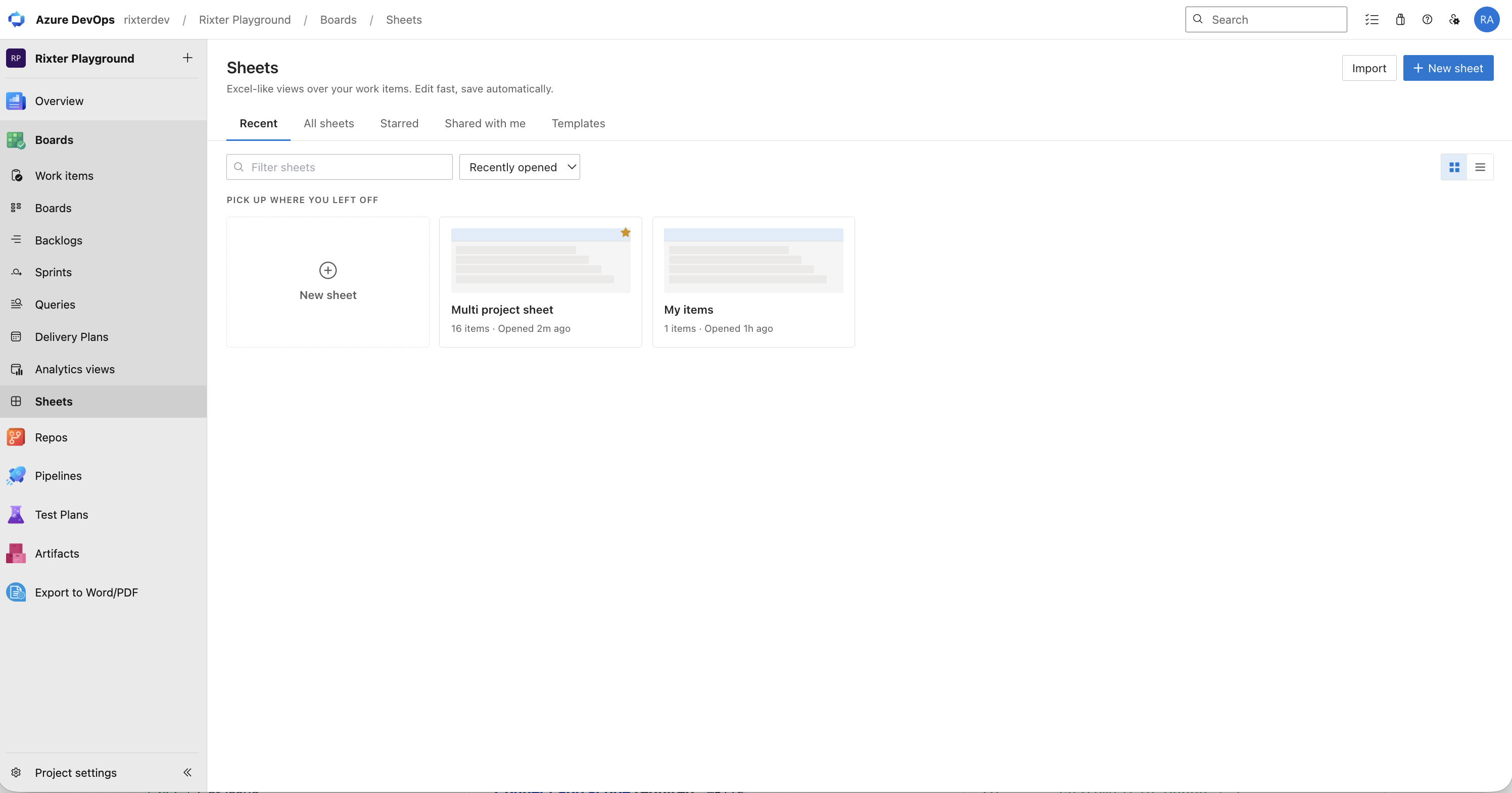
What it does
Everything your team needs to stay responsive
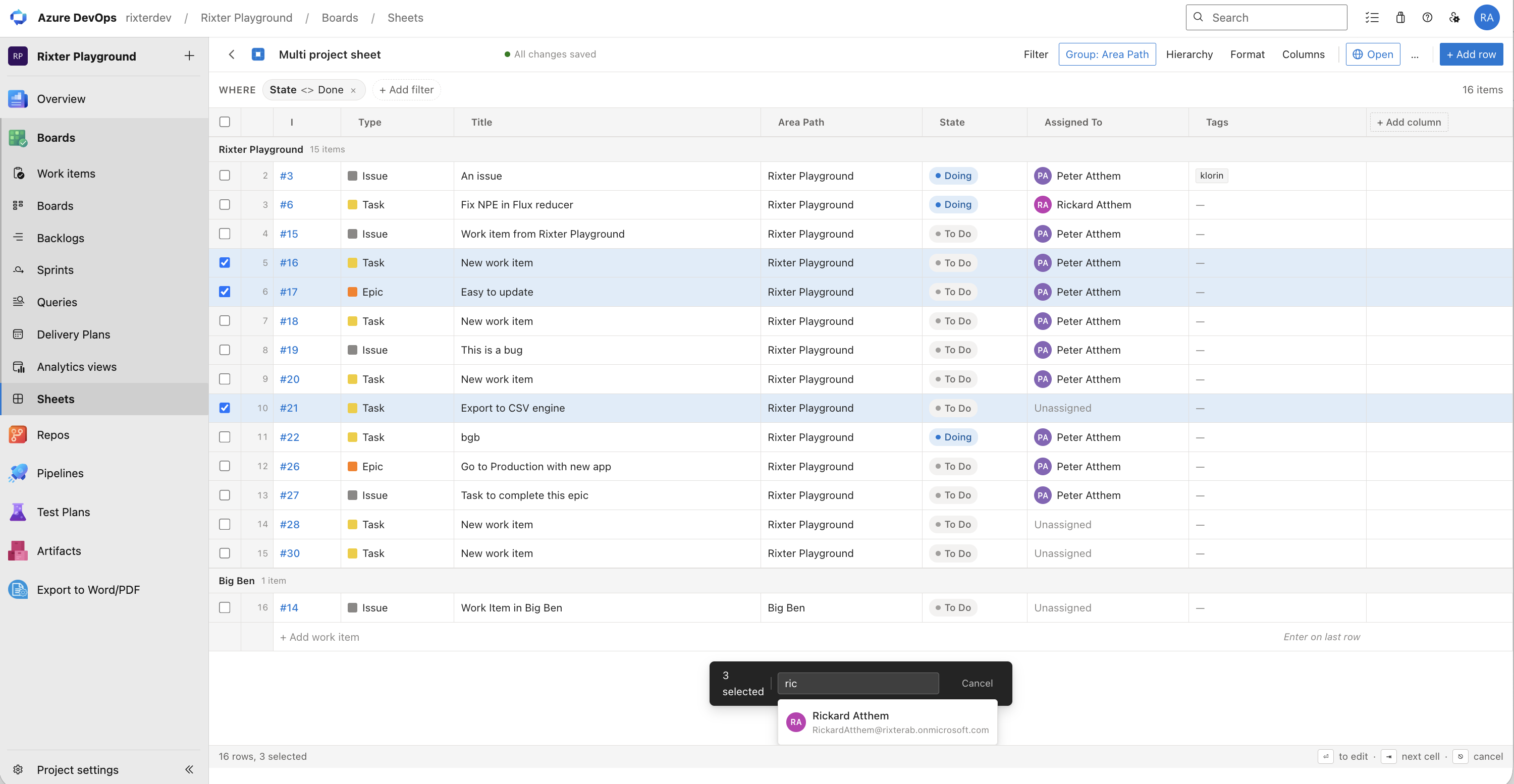
- • Edit any field inline — no need to open individual work items.
- • Bulk-update multiple items at once to cut grooming time in half.
- • Group rows by sprint, assignee, priority, or any custom field.
- • Color-code rows with conditional highlighting rules for instant status reads.
- • Pick exactly which columns to show and save the view as a named sheet.
- • Share sheets with teammates — each person sees live data from the same source.
Bulk edits in seconds
How it works
Setup in minutes
Step 1
Install the extension in your Azure DevOps organization from the Marketplace.
Step 2
Open Work Item Sheets from the project sidebar and create your first sheet.
Step 3
Pick columns, set grouping, add highlight rules, and share with the team.
Screenshots
A look inside
FAQ
Questions, answered
Does it work with custom fields and area paths?
Yes. You can add any work item field — including custom fields, tags, area paths, and iteration paths — as a column in your sheet.
Can I share a sheet without giving edit access to the underlying work items?
Sharing a sheet shares the view configuration, not extra permissions. Azure DevOps permissions still govern who can edit work items.
How is the license managed?
Work Item Sheets is available for Azure DevOps Cloud only. Licenses are purchased and managed inside the app under Administration → Work Item Sheets.
Is there a free trial?
Yes — every installation starts with a 30-day free trial. No credit card required to get started.
Changelog
Latest updates
2026 Release
Initial release with live embeds and streamlined setup.
Secure licensing
Clear terms and flexible upgrade paths.
Support from Rixter
Real humans based in Sweden.
Built for your platform
Each app is tailored to its specific host platform.