
What it does
Everything your team needs to stay responsive
Excel Includer brings a live Excel view into Azure DevOps so teams can plan, estimate, and report without bouncing between tools. Keep a single source of truth by syncing Excel tables from OneDrive or SharePoint and surface them directly in work items, boards, and dashboards.
- • Embed live Excel tables inside work items.
- • Keep a single source of truth for project plans and budget sheets.
- • Inline updates that stay linked to the original spreadsheet.
- • Quick add-in for work items, boards, and dashboards.
Linked Excel, always current
Keep the latest Excel sheet visible inside each work item, so plans, budgets, and checklists stay in context without switching tabs.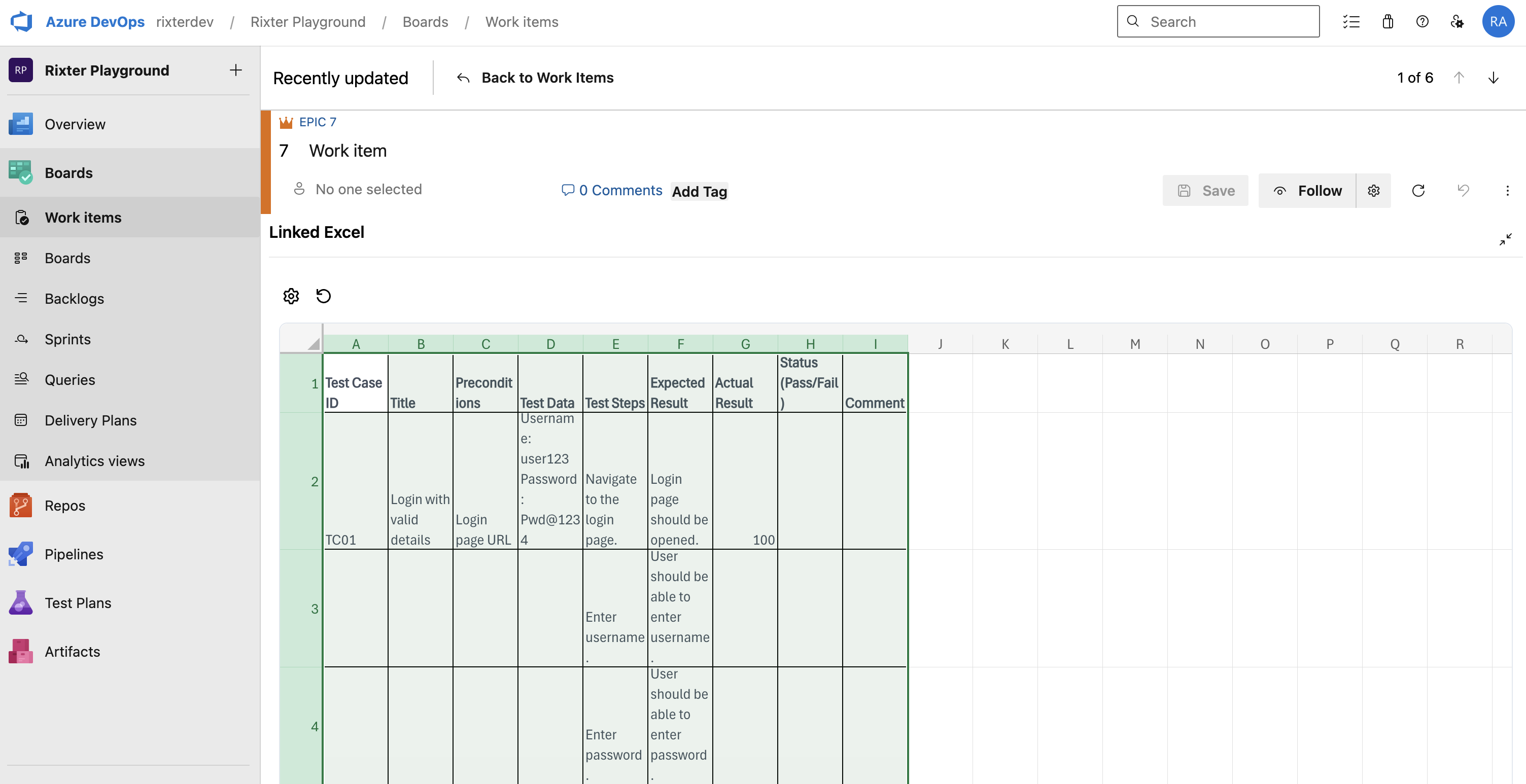
How it works
Setup in minutes
Connect your tools, map the workflow, and ship with confidence.
Step 1
Install the extension in your Azure DevOps organization.
Step 2
Connect to SharePoint or OneDrive storage.
Step 3
Embed and manage Excel tables inside work items.
Screenshots
A look inside
High-level glimpses of the extension in action.
FAQ
Questions, answered
Need more detail? Here are quick answers to the most common questions.
Which Excel files are supported?
Any file stored in SharePoint or OneDrive with Excel Online enabled can be embedded.
Changelog
Latest updates
Keep track of what's new as we ship improvements.
2026 Release
Initial release with live embeds and streamlined setup.
Secure licensing
Clear terms and flexible upgrade paths.
Support from Rixter
Real humans based in Sweden.
Built for your platform
Each app is tailored to its specific host platform.